Words Unscramble is a delightful puzzle experience for fans of word games, language challenges, and brain-teasing trivia. Designed with mobile users in mind, this app offers a fun and engaging way to stretch your vocabulary and spelling skills. Whether you’re a word game enthusiast or someone seeking a casual mental workout, this game delivers a rewarding mix of challenge and satisfaction.
At a glance
- Platforms
- Android
- Players
- Single-player
- Language
- English
- Cost
- free
- Offline
- Yes
- Daily puzzle
- No
- Best for
- Kids & family
What we liked
- Free to play
- Playable offline
How to win?
Winning in this gameis all about sharp observation and logical thinking. Your objective is to rearrange jumbled letters into meaningful English words. At first glance, the letters might seem random, but every set forms a real word—sometimes even more than one! To win, you must correctly unscramble every word in a level. Each completed word brings you closer to beating your high score and unlocking more difficult stages.
Rules
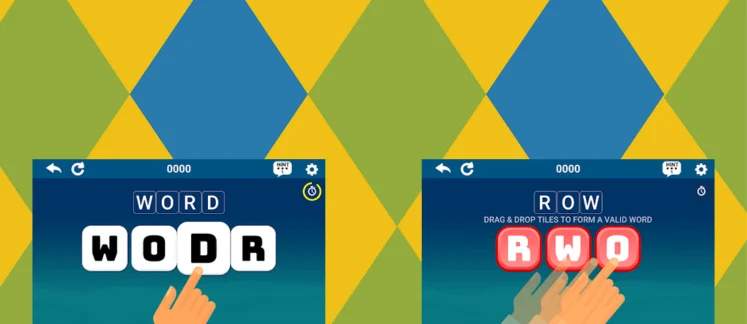
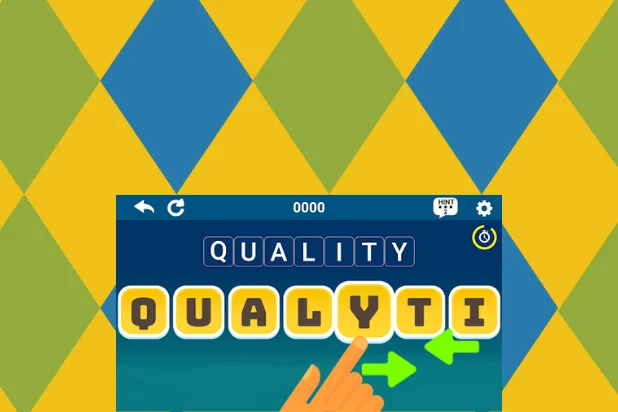
The rules are simple and intuitive. You're given a set of scrambled letters (tiles), and your job is to rearrange them to form a valid English word. You can drag and drop tiles or tap two tiles to swap their positions. If you're stuck, a helpful hint feature is available to guide you toward the solution. The game recognizes common anagrams as well, so don’t hesitate to experiment with different combinations.
Scoring Pattern
Points in this game are awarded based on how quickly you solve the puzzle and the complexity of the word. Longer words and faster solutions net higher scores. The game also encourages replay ability by allowing you to beat your previous high scores. Completing puzzles without using hints gives you bonus points, encouraging sharper word recognition and speed.
How to Set Up the Game
Getting started is easy. Just download this gamefrom the Play Store, install it on your Android device, and launch the app. No sign-ups or logins required—just jump straight into the action. Choose your difficulty level, from 3-letter warm-ups to brain-melting 8-letter challenges, and you’re ready to unscramble!
FAQ
Q: What if I get stuck?
A: Use the hint button! It's designed to help without spoiling the fun.
Tips from the Geeks
- Use two-finger tap swapping for faster rearrangement.
- Start with the vowels to anchor word structure.
- If a word looks familiar, go with your gut—it often is right.
- Use hints wisely—they affect your score.
- Play in short bursts to keep your brain sharp daily.